Your site, your look.

If you changed everything on your forum, you can on Rolea too. Skins ready to install, colors and fonts from the panel, and your own CSS, JavaScript and HTML for everything else.

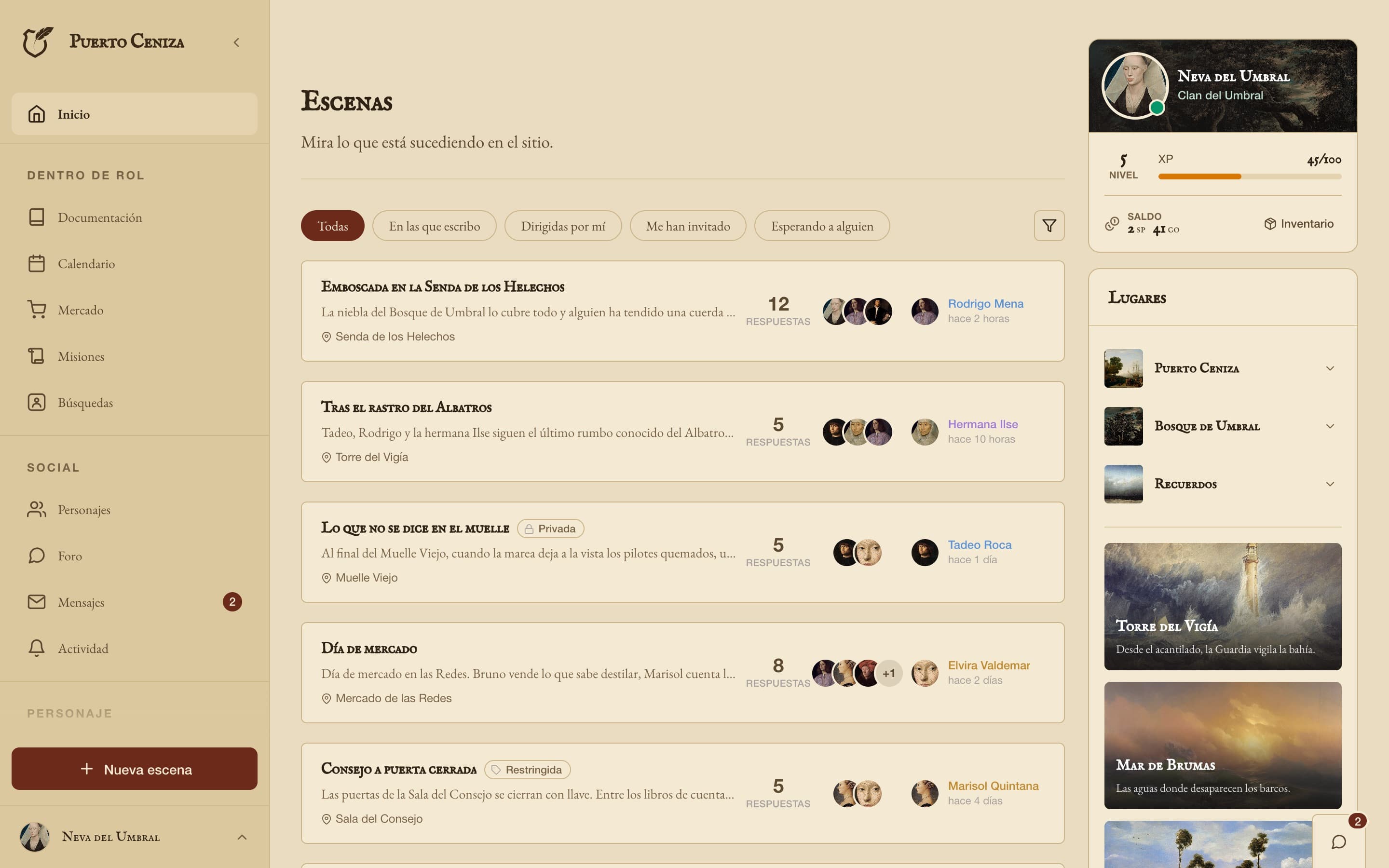
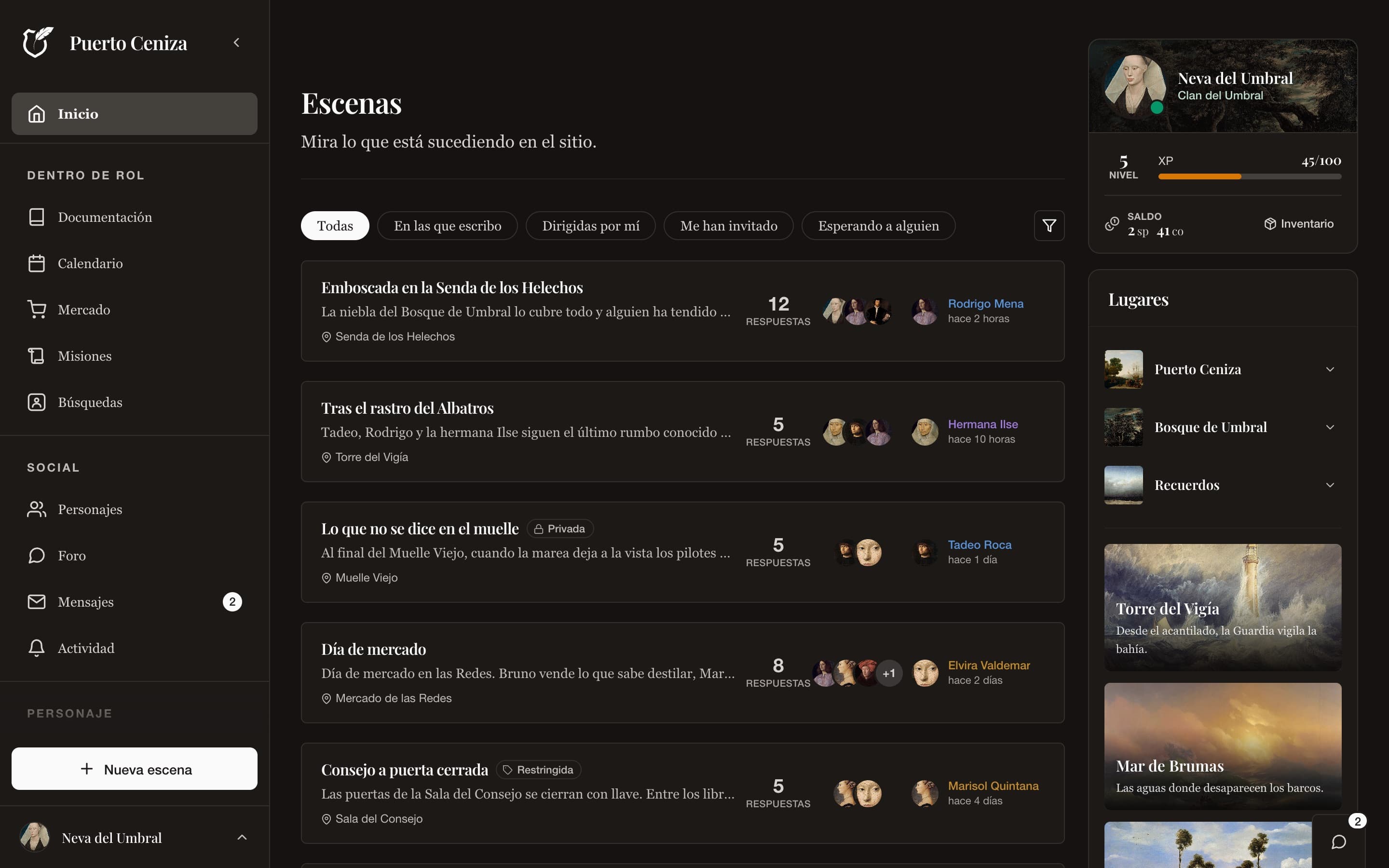
A site's home page with the look Rolea comes with.

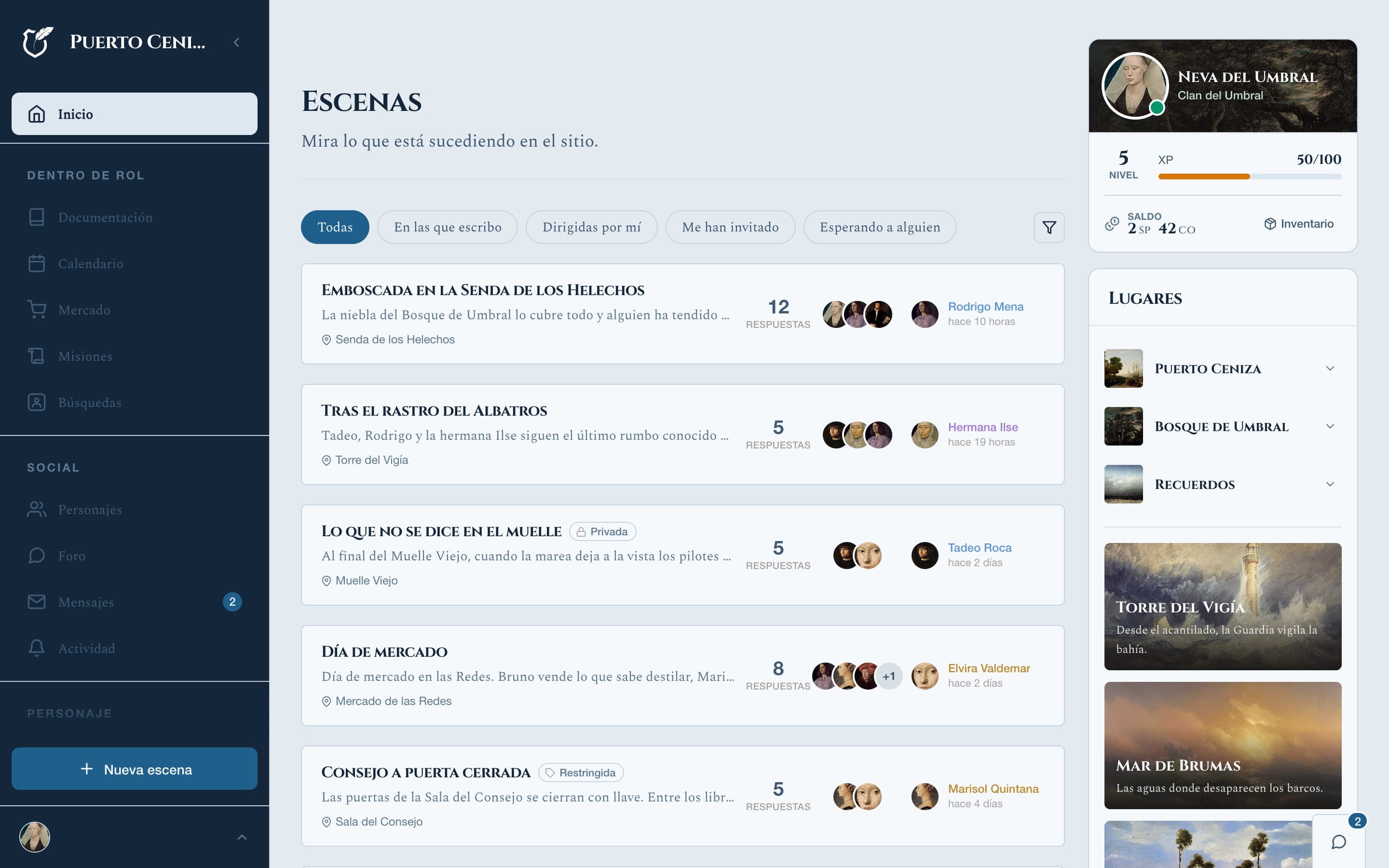
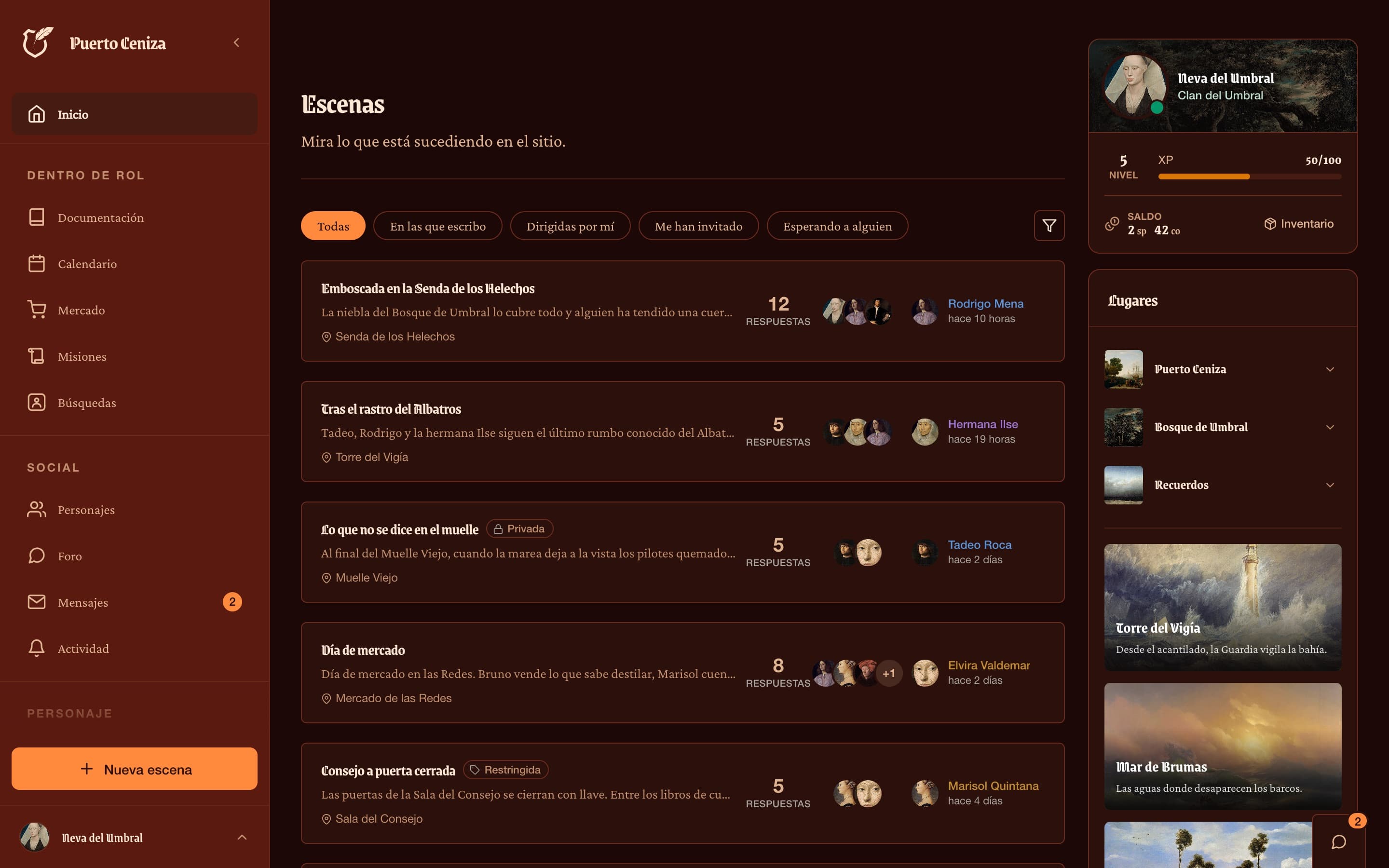
Pergamino, Escarcha and Brasa are example skins, each about twenty lines of CSS.

As deep as you want to go

Start with the panel, install a skin or write your own from scratch. Each layer builds on the last, and what you write always has the final say.

No codeFrom the admin panel

The essentials change with a click, and you see them right away.

  • Modern or classic layoutSide navigation, or the top bar of a classic forum.
  • Three ways to show repliesOne of them is the classic one: the character on the left, like on a forum.
  • Colors for light and dark modeWith a warning when a combination is hard to read.
  • Google FontsOne for each part of the interface.
  • Cards and wordingCards with your HTML in the sidebar, above or below, and the names your site uses: what NPCs, quests or a defeated character are called.
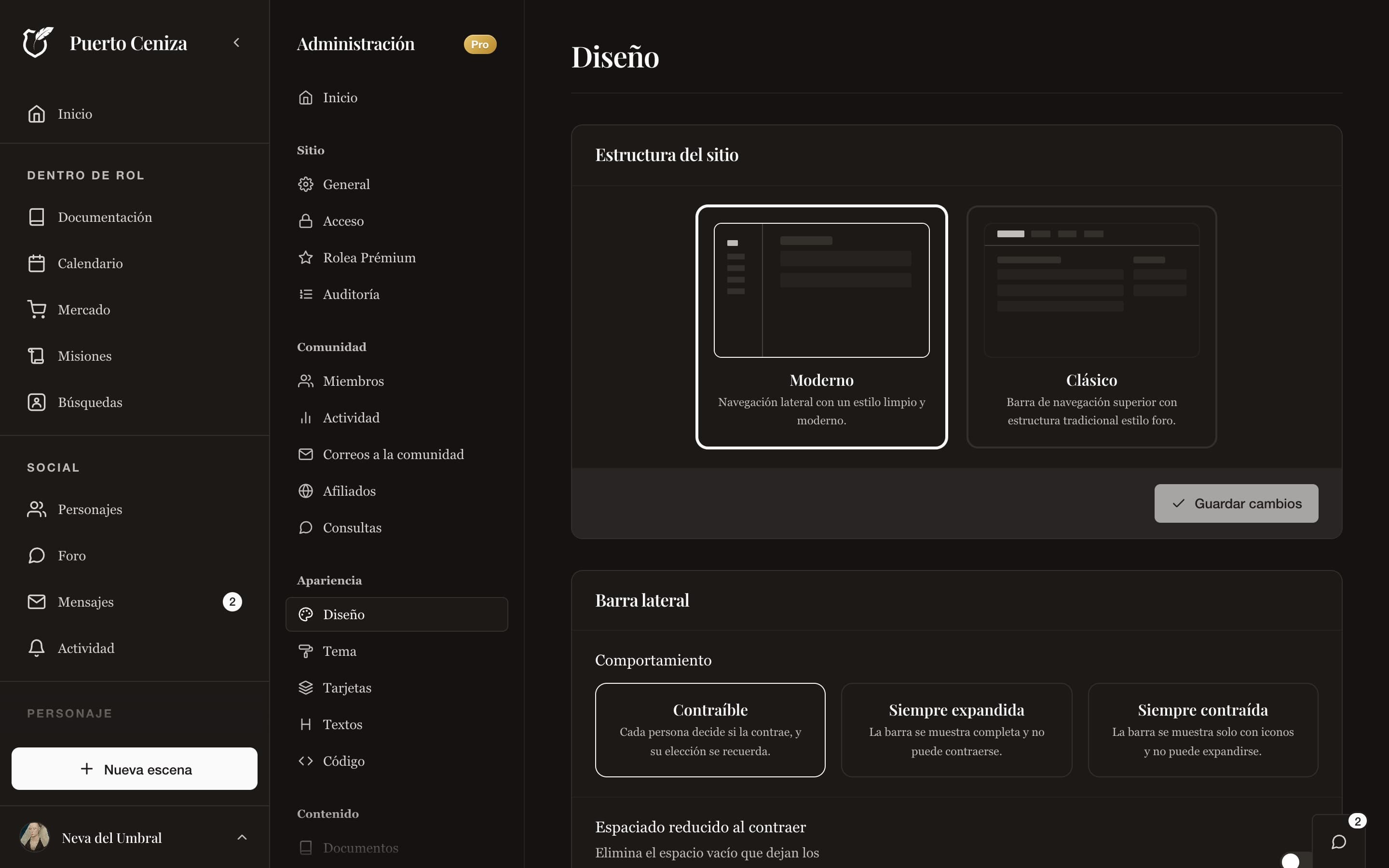
The Design page of the administration: modern or classic layout, and how the sidebar behaves.

The skin storeA new skin in one click

Pick a skin on rolea.es and install it on your site. If you remove it, your site goes back to how it was.

  • Try it before installing itPreview it on your site, with your real content. Only your staff sees it, and nothing is saved.
  • Make it yoursMany skins let you pick the accent color, sizes or fonts without touching CSS.
  • You decide when to updateEach site keeps the version it installed until its founder picks another.
  • Your CSS always winsIf a skin gets something almost right, you finish it with your own code.
Preview of the Pergamino skin.
PergaminoLight · old-paper tones
Preview of the Escarcha skin.
EscarchaLight · winter blue
Preview of the Brasa skin.
BrasaDark · blackletter titles

Example skins applied to a real Rolea site.

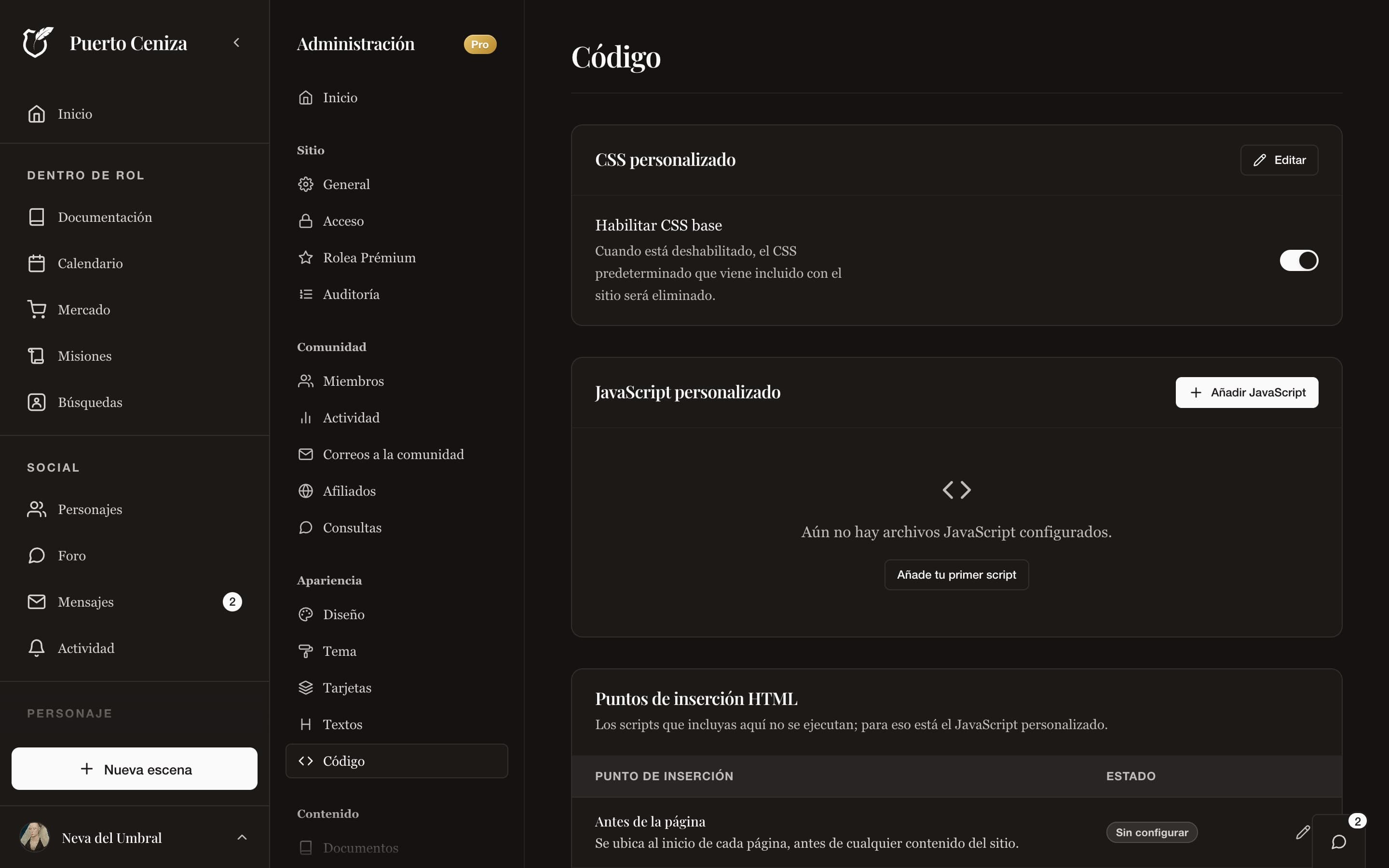
Your own codeCSS, JavaScript and HTML

For the site you have in mind that no skin offers.

  • CSS for the whole siteClasses with stable names and variables for every color, font and size. Change one and everything that uses it changes.
  • Start from scratch if you likeTurn off Rolea's base CSS and design every piece your way.
  • JavaScript with contextYour scripts know who is reading, which character they play and which page they are on.
  • HTML wherever you need itSix insertion points, from the top to the bottom of every page, and editor templates with their own HTML.
Custom CSSthe Escarcha skin
:root {
  --color-bg-page: #0e1620;
  --color-bg-surface: #142130;
  --color-text-primary: #e1ebf2;
  --color-accent: #9cc7e4;
  --font-family-serif: "Cinzel", Georgia, serif;
  --font-family-serif-body: "Spectral", Georgia, serif;
}
Custom JavaScriptR, the page's context
// Tint the site with the active character's faction color
const faction = R.character?.faction;
if (faction) {
  document.documentElement.style
    .setProperty("--color-accent", faction.color);
}
The Code page of the administration: custom CSS, custom JavaScript and HTML insertion points.

Do you design skins?

Any Rolea account can publish skins in the store. The Rolea team reviews every version before it reaches sites, and the CSS and JavaScript documentation explains every piece you can change.

Publish a skin

Your story is waiting. Give it a site.

Create your site